Mental Health
Diagnosis Screen
Diagnosis
section
Many
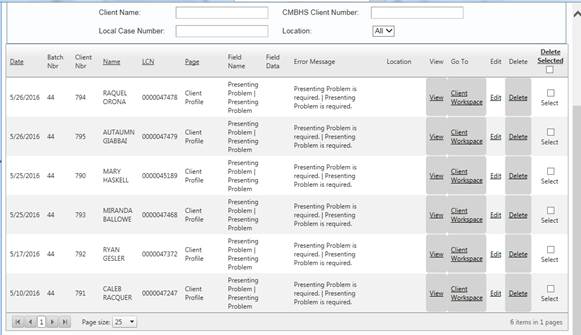
contracted Mental Health (MH) treatment service providers batch diagnoses
information. The batch process results
in a display of the diagnoses in the order submitted by the contracted MH
treatment provider. The diagnoses batched into CBMHS from CARE may be edited by
the contracted MH provider in the diagnosis screen. When editing the MH diagnosis screen, follow
the directions below. For direct entry
into the diagnosis screens, follow the instructions below.
The
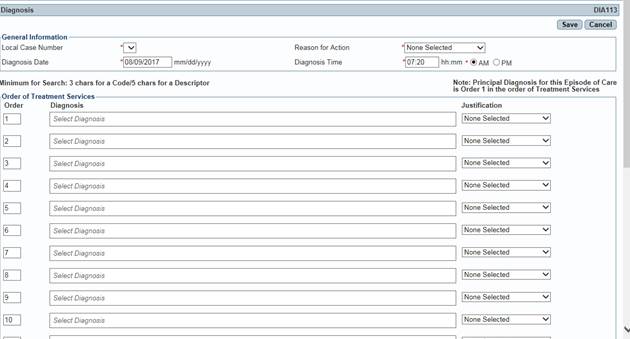
selection of diagnoses is done in the rows displayed. The clinician may enter up to 18
diagnoses. The clinician needs to ensure
the diagnosis associated with the number one (1) is the diagnosis being
treated. According to the Diagnostic and
Statistical Manual of Mental Disorders (DSM), the diagnosis being treated is
referred to as the Principal Diagnosis. The clinician may arrange the numbers
next to each line in the order of treatment services. The system will rearrange the diagnosis so
they are displayed in the order the clinician selected when the clinician adds
the diagnoses. To add the diagnosis or diagnoses, the clinician needs to CLICK ON the Add button.
Order of Treatment Services
table
The search
method allows the clinician to type in three characters associated with the
code or five characters associated with the diagnosis description. The system will display all the codes related
to the information typed in the row. The
clinician needs to CLICK
ON the code
the represents the diagnosis supported by the symptoms discovered during the
assessment which match the criteria in the DSM.
Justification CLICK ON the option that describes
the reason the diagnosis code was selected.
·
By client report
·
By
clinician observation
·
By
collateral report
·
By
history
·
By
impression
·
By
physician report
MH Batch Corrections